
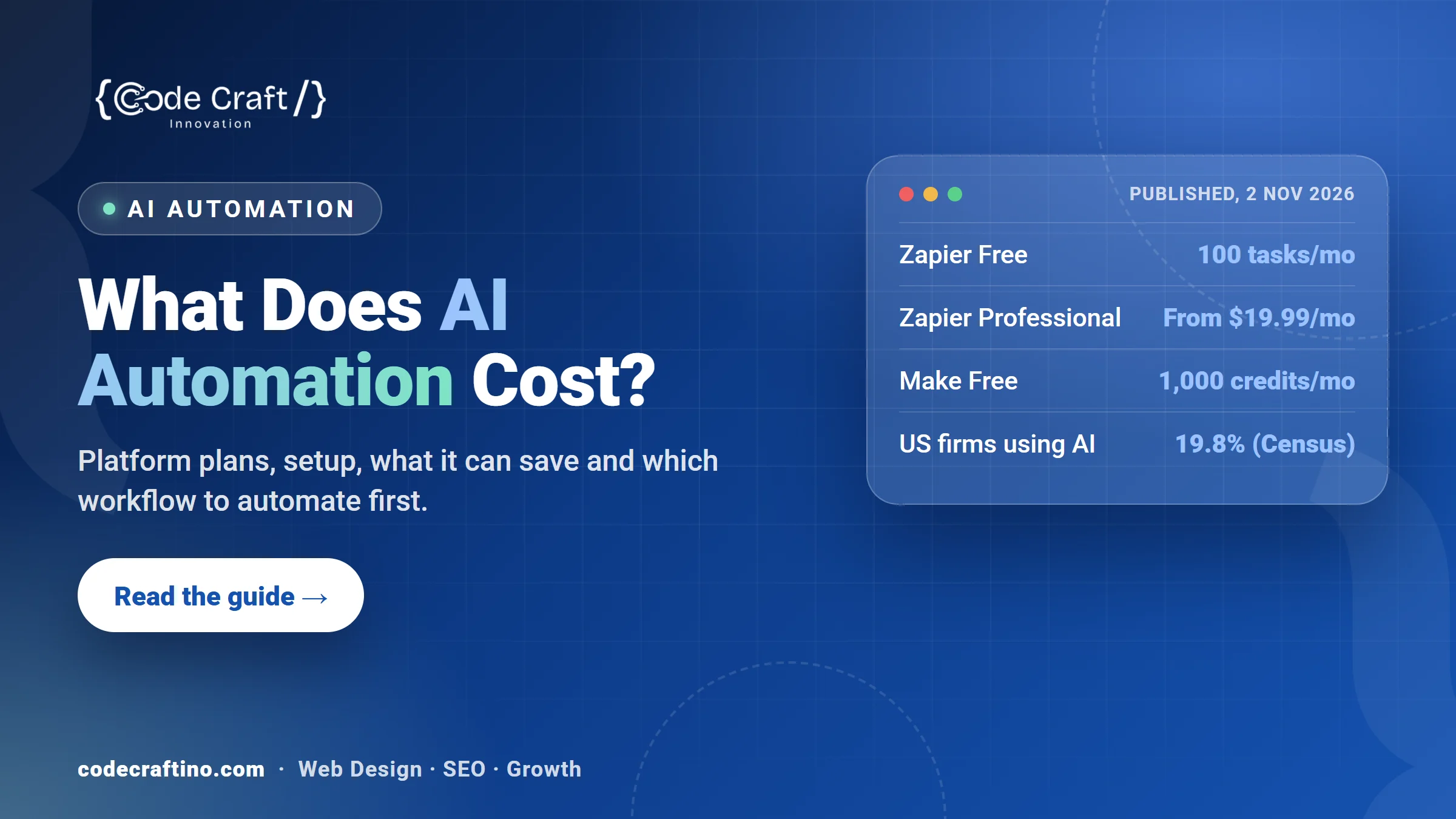
AI automation for a small business can cost almost nothing to start: automation platforms such as Zapier and Make have free plans, and Zapier’s paid Professional plan starts at $19.99 a month billed annually. The real cost is the setup: deciding which steps to automate, connecting your tools, writing the messages and testing every path. The saving comes from hours your team no longer spends copying details, chasing replies and sorting enquiries, and from leads that no longer go cold. This guide explains what AI automation costs, what it can realistically save and how to choose the first workflow worth building.
What is AI automation for a small business?
Automation connects the tools you already use, such as your website form, inbox, calendar, CRM, spreadsheets and accounting, so that something happening in one tool starts a fixed set of steps in the others. AI adds the steps that need reading or judgement: understanding an enquiry, pulling details out of a document, sorting messages by urgency or drafting a reply for a person to approve.
A simple example: a quote request arrives through your website. The workflow reads it, adds the contact to your CRM, tags the service they asked about, sends a confirmation in your words, books a call slot if they chose one, and alerts the right person if the job looks urgent.
How common is AI in small businesses?
Less common than the headlines suggest. The U.S. Census Bureau reports that 19.8% of U.S. businesses were using AI as of May 3, 2026. Between December 2025 and May 2026, AI use increased among firms with at least 20 employees but didn’t change significantly among firms with fewer than 20 employees (U.S. Census Bureau).
For a small business that means two things: most competitors haven’t automated yet, and the businesses that do it well can reply faster than the rest.
What does AI automation cost?
There are three parts to the cost:
- The automation platform. Zapier’s free plan includes 100 tasks a month, and its Professional plan starts at $19.99 a month billed annually ($29.99 billed monthly) for 750 tasks, with higher tiers priced by the number of tasks (Zapier pricing). Make’s free plan includes 1,000 credits a month (Make pricing). Busy workflows need a paid tier, so estimate how many runs a month you’ll have.
- AI usage. Steps that read or write text with AI usually add a small usage charge from the AI provider or the platform, based on how much text is processed.
- Setup and upkeep. Mapping the process, connecting accounts, writing and approving every message, testing edge cases and fixing things when a connected app changes. This is where most of the time goes, whether you do it yourself or hire someone.
Prices change often, so check each platform’s page before you choose. The cheapest plan is rarely the deciding factor: a workflow that fails quietly costs far more than a higher monthly tier.
What can AI automation save?
Work out the saving with your own numbers:
- List the repetitive steps. Copying form details into a CRM, sending the same follow up emails, renaming and filing documents, chasing unpaid invoices.
- Time each one. Minutes per occurrence multiplied by how often it happens each month.
- Put a value on the hour. Use what that person’s time costs you, or what they could earn on billable work instead.
- Add the lost leads. Enquiries that went cold because nobody replied for a day are often the biggest number on the list.
Compare that monthly figure with the platform cost plus the setup spread over a year. If one recovered job or a few saved hours a week cover it, the first workflow is worth building.
Which workflows should a small business automate first?
- New enquiry handling: instant confirmation, CRM entry, the right person alerted, and a reminder if nobody has replied within a set time.
- Missed call recovery: a text back to anyone whose call wasn’t answered, with a link to book. For answering the calls themselves, see what an AI receptionist costs.
- Quote follow up: a polite reminder when a quote hasn’t been answered in a few days.
- Booking reminders: confirmation and reminder messages that cut no-shows.
- Review requests: a short message after a finished job asking for a Google review.
- Document intake: invoices or forms read, filed and logged without retyping.
When is automation not worth it?
Skip it, or wait, when the process changes every week, when it happens only a few times a month, or when every case needs a different decision. Automating a messy process makes the mess faster. Write the steps down and agree them first; then automate. When a task needs judgement across several steps, an AI agent may suit it better than a fixed workflow; our guide on AI agents vs chatbots explains the difference.
How do you keep automation safe?
- Approve every message a workflow can send, word for word, before it goes live.
- Give each connection only the access it needs.
- Send a person an alert whenever a step can’t be completed, instead of failing silently.
- Keep a log of what ran, so you can see what happened to every enquiry.
- Review the workflows after any change to the tools they connect.
What should you ask before you hire someone to build it?
- Which platform will you use, and who owns the account?
- What happens when a step fails, and who gets told?
- Can I change the messages myself later?
- How will I see what each workflow did this month?
- What does upkeep look like when one of my apps changes?
AI automation for New Jersey small businesses
Code Craft Innovations builds AI automation for small businesses from our office in Fairfield, NJ, for clients across the state, including Fairfield and Montclair. We map the process with you, connect the tools you already use, have you approve every message, and set alerts so nothing fails quietly. See how our AI automation service works, or book a free AI consultation to find the first workflow worth automating.
For the calls themselves, read how an AI answering service works.
Frequently asked questions
Do I need technical skills to use AI automation?
Not to run it. Building reliable workflows takes some technical care, especially testing and error handling, but once they’re live your team only sees the results.
Will automation work with the tools I already use?
Usually. Platforms such as Zapier and Make connect to thousands of common apps. Check that your CRM, calendar and accounting software are supported before you start.
How long does it take to set up a workflow?
A simple workflow can be live quickly; one that touches several tools and needs approved messages takes longer. Agreeing the steps and the wording is usually the slowest part.
Can AI automation reply to customers on its own?
It can send messages you’ve approved. For anything outside those messages, it’s safer to draft a reply for a person to check, or alert your team.
What is the difference between automation and an AI agent?
Automation follows a fixed set of steps you define. An AI agent can decide which steps to take within rules you set. Many businesses start with automation and add an agent for the jobs that need judgement.



Share your thoughts